Please follow the Below steps;
1.Update the Packages;
#sudo apt update
2.Install the Required Packages;
sudo apt install wget unzip curl openssl build-essential libgd-dev libssl-dev libapache2-mod-php php-gd php apache2 -y
3.Download Nagios Core Setup files. To download the latest version, visit the official releases site.
#wget https://assets.nagios.com/downloads/nagioscore/releases/nagios-4.4.6.tar.gz
4.Extract the Files;
#sudo tar -xvf nagios-4.4.6.tar.gz
5.Navigate to the setup directory;
#cd d nagios-4.4.6
6.Run the Nagios Core configure script;
#sudo ./configure
7.#sudo make all
8.Make and install group and user;
#sudo make install-groups-users

9.Add www-data directories user to the nagios group;
#sudo usermod -a -G nagios www-data
10.Install Nagios;
#sudo make install
11.#sudo make install-init
12.Install and configure permissions on the configs’ directory.
#sudo make install-commandmode
13.Install sample config files.
#sudo make install-config
14.Install apache files.
#sudo make install-webconf
15.Enable apache rewrite mode.
#sudo a2enmod rewrite
16.Enable CGI config.
#sudo a2enmod cgi
17.Restart the Apache service.
#sudo systemctl restart apache2
18.Create a user and set the password when prompted.
sudo htpasswd -c /usr/local/nagios/etc/htpasswd.users nagiosadmin

Install Nagios Plugin;
1.Go to Home Directory Again
#cd
2.Download Plugins;
#sudo wget https://nagios-plugins.org/download/nagios-plugins-2.3.3.tar.gz
3.Extract the downloaded plugin.
#sudo tar -zxvf nagios-plugins-2.3.3.tar.gz
4.Navigate to the plugins’ directory.
#cd nagios-plugins-2.3.3/
5.Run the plugin configure script.
#sudo ./configure — –with-nagios-user=nagios –with-nagios-group=nagios
6.Compile Nagios Core plugins.
#sudo make
7.Install the plugins.
#sudo make install
Verify Nagios Configuration;
1.#sudo /usr/local/nagios/bin/nagios -v /usr/local/nagios/etc/nagios.cfg

2.Start the Nagios service.
#sudo systemctl start nagios
3.Enable Nagios service to run at system startup.
#sudo systemctl enable nagios
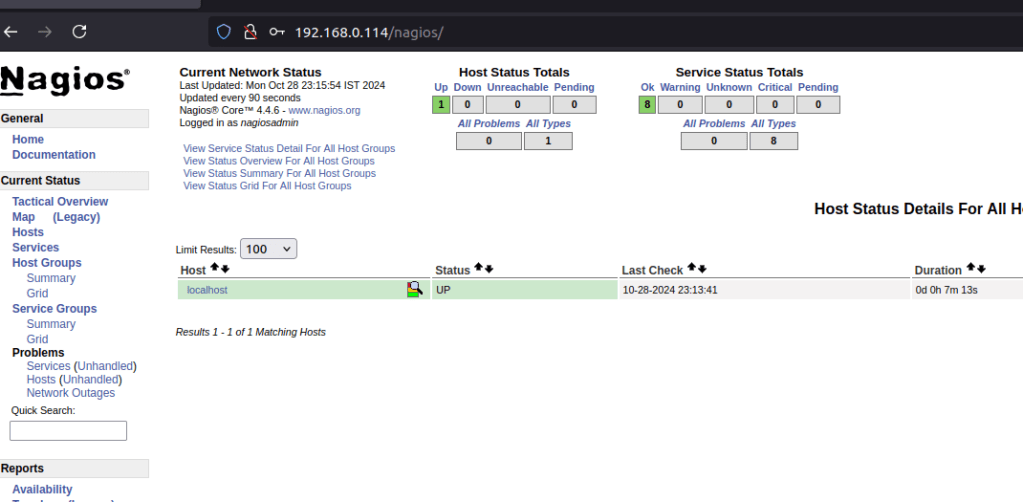
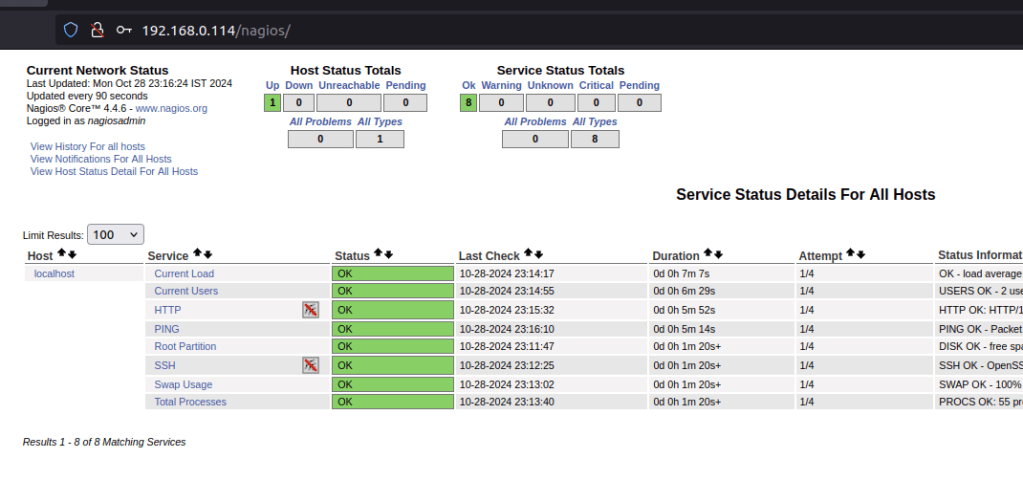
Access Nagios Web-Interface;
1.Open Your web Browser and type below url
 "Share Knowledge"
Leave a comment